AI Lead and Inbox Triage (demo project)
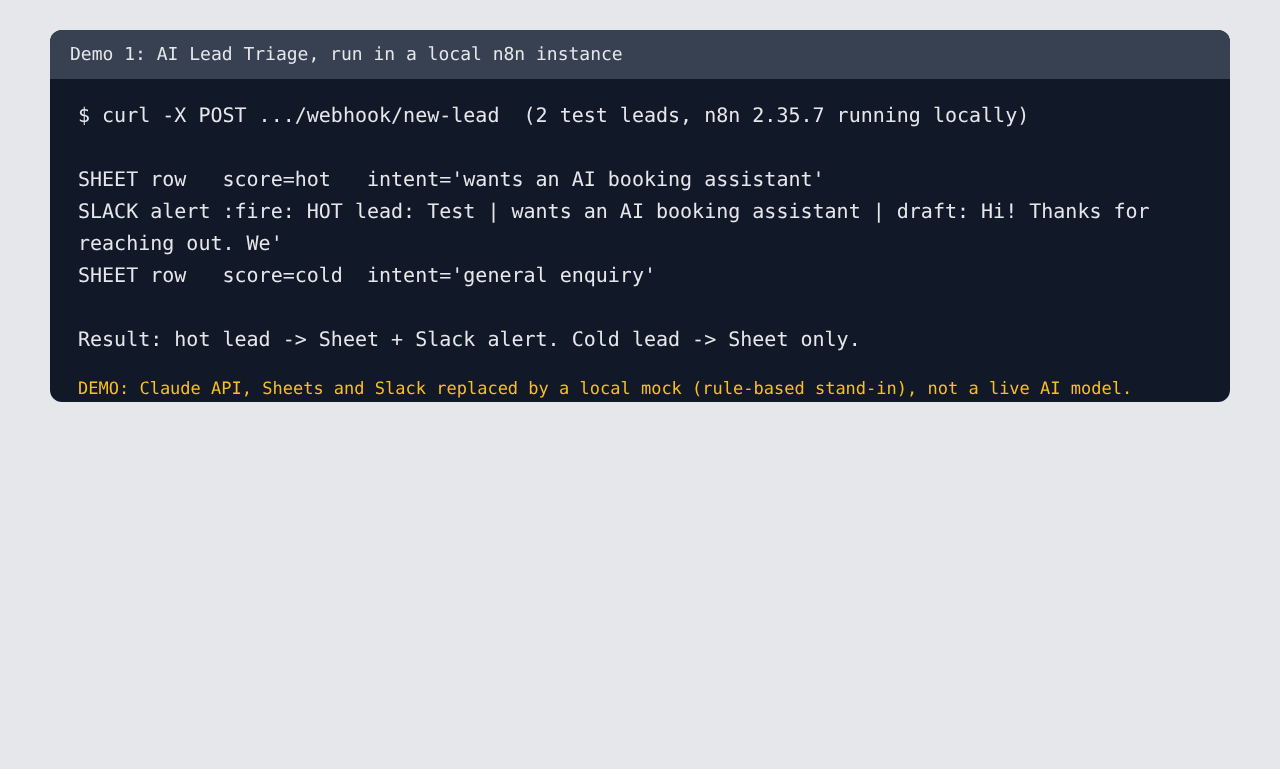
Demo on sample data. Not a client project. The run below used a local test stand-in for the AI, not a live AI model, so it shows the workflow logic, not scoring quality.
The problem
Small businesses lose leads in busy inboxes. Hot leads wait as long as cold ones.
What it does
A website form posts a lead to an n8n webhook. An AI model scores it hot, warm or cold, summarizes the intent and drafts a reply. Every lead is logged to a Google Sheet. Hot leads also alert the team in Slack with the draft, which a person approves before anything is sent.
Design choices
- Reply drafts are never auto-sent.
- Lead text is treated as data in the prompt, not instructions.
- If the AI's answer can't be parsed, the lead is logged as "warm, needs manual review" instead of being dropped.
What we tested
Two sample leads ran end to end in a local n8n 2.35.7 instance:
- A lead mentioning a budget and a deadline produced a Sheet row (score hot) and a Slack alert.
- A "just curious" lead produced a Sheet row (score cold) and no alert.
What we did not test
The production version with the real AI model, Google Sheets and Slack. Scoring quality on real leads. Those are set up in the client's own accounts during a job and tested there.
Files: `demos/1-lead-triage-n8n/` (workflow JSON, test variant, write-up).